before anything :
- Joomla Requirements is :
- PHP 4.2.x or above - http://php.net
- MySQL 3.23.x or above - http://mysql.org
- Apache 1.3.x or above - http://httpd.apache.org
then Start Steps :
1- install latest version frrom here
 2- upload joomla zip files to your server in www folder or public:
by :
- ftp account -ftp protocol easy way to upload file-
your host send to you ftp account username and password
or you create them from cpanel by ftp accounts manager
use fireftp firefox extention : FireFTP is a free, secure, cross-platform FTP client for Mozilla Firefox which provides easy and intuitive access to FTP servers.

or ftp Open source software like :
FileZilla the free FTP solution ,
you can open and edit file locally and upload it .
i like it and use it sometime but like fireftp more and use it all time
or use ftp web apps like :
net2ftp - A web based FTP client
you can upload joomla zip file by cpanel > file manager > upload
Uploading to public_html, htdocs, www or similar folder on server
3- unzip joomla zip file
by cpanel > file manager
select file then > unzip it
you can unzip file by simple and small php file have a one code in one line
but it work in some server who some php functions was disable .. you can google it
code php is
PHP:
      exec('unzip Joomla_1.5.11-Stable-Full_Package.zip');


?> Joomla_1.5.11-Stable-Full_Package.zip with your zip file name next save code in file with .php extension and upload it with zip file in same folder i was called it unzip.php then open php filewww.yoursite.com/unzip.php and wait a minute if php file don't display php error display folder content by ftp program or by file manager < cpanelyou will file extract
4-create database
by cpanel > MySql Database
1- create database
then create user or assign database to exists user or to root
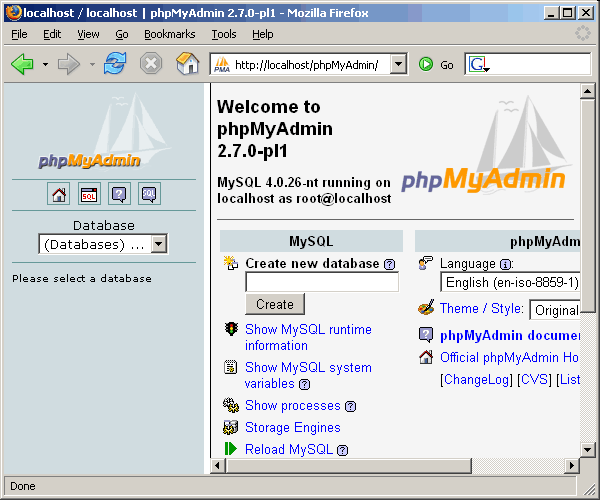
Manually : by phpMyadmin
to open phpMyadmin in some servers link will be like that :
http://phpmyadmin.your-host-site.com
then enter phpMyadmin username and password
Now you ready to install joomla in fast 7 steps .
wait next lessons
resource :
cPanel User Guide
Joomla Installation Manual
download Joomla 1.5_Installation_Manual_version_0.5 PDF
and download joomla_15_quickstart PDF
download Joomla 1.5_Installation_Manual_version_0.5 PDF
and download joomla_15_quickstart PDF


4 comments:
This design is steller! You definitely know how to keep a reader entertained. Between your wit and your videos, I was almost moved to start my own blog (well, almost...HaHa!) Wonderful job. I really loved what you had to say, and more than that, how you presented it. Too cool!
You actually make it seem so easy with your presentation but I find this matter to be really something that I think I would never understand. It seems too complicated and extremely broad for me. I am looking forward for your next post, I'll try to get the hang of it!
Right now it looks like Drupal is the top blogging platform available right now. (from what I've read) Is that what you are using on your blog?
Hey, I think your website might be having browser compatibility issues. When I look at your blog site in Ie, it looks fine but when opening in Internet Explorer, it has some overlapping. I just wanted to give you a quick heads up! Other then that, awesome blog!
Post a Comment